Smart Coffee Makers for Home: Elevate Your Mornings with Barista-Perfect Coffee
Published: 25 Oct 2025
Picture this: you wake up to the soothing aroma of freshly brewed coffee — no buttons to press, no waiting in line. Sounds perfect, right? That’s the comfort smart coffee makers for home bring to your mornings. These clever machines turn your daily routine into a cozy café experience, learning your taste and brewing exactly the way you like it. Whether you crave a bold espresso or a smooth latte, your smart brewer takes care of it all — while you stay snug under your blanket.
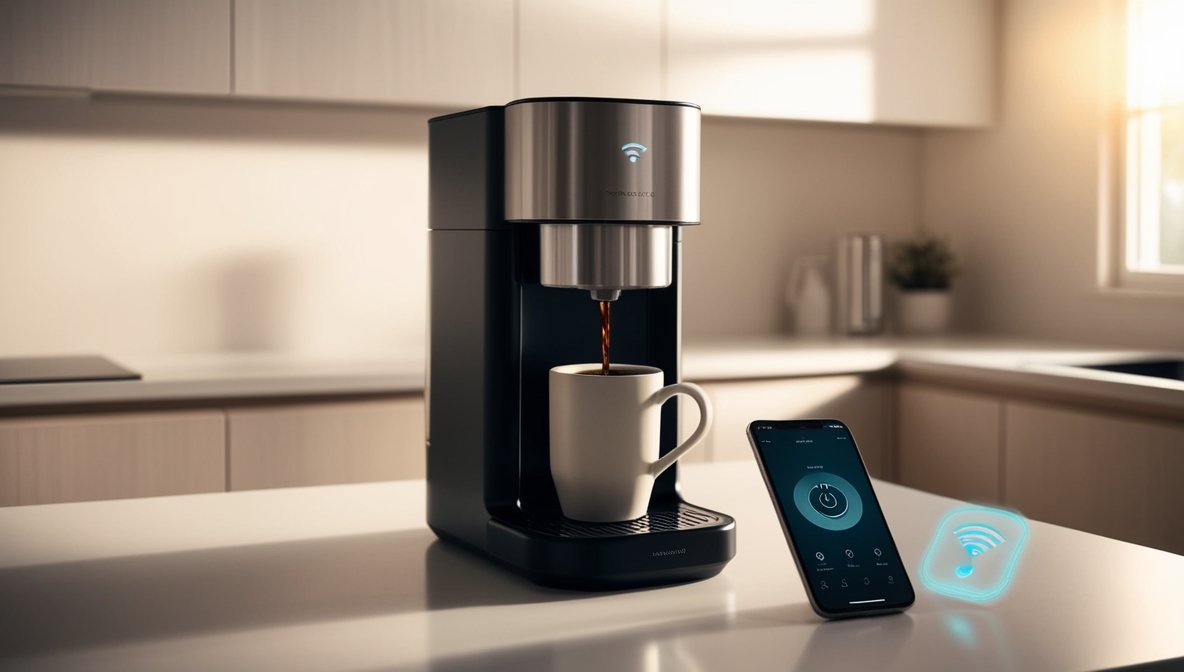
Why Choose a Smart Coffee Makers for Home?
Using Smart coffee makers at home combines convenience, technology, and consistency, making your daily coffee routine effortless and enjoyable—convenience & Time-Saving.
Perfect Brewing Every Time
Smart machines maintain precise temperature and strength. No more guessing measurements or brew times. Every cup tastes exactly how you like it, every time.
Integration with Smart Home Devices
Most machines connect with Alexa or Google Home. Voice commands can start brewing while you focus on other tasks. These home coffee gadgets make your kitchen smarter and more efficient.
Types of Smart Coffee Machines
Smart coffee makers come in various styles, each designed to meet different brewing needs and lifestyle preferences. Let’s explore the top types so you can find the one that fits your routine perfectly.
1. Wi-Fi Enabled Coffee Makers
Wi-Fi-enabled coffee makers connect to your home network, allowing remote brewing from your smartphone or tablet. You can schedule coffee in advance, adjust brew strength, and receive notifications when your coffee is ready. These machines are ideal for busy households that want coffee ready the moment they wake up.
Pros:
- Brew coffee remotely from anywhere in your home
- Schedule multiple brewing times
- Consistent taste with customizable settings
Cons:
- Requires a stable Wi-Fi connection
- Slightly higher price than basic smart coffee machines
2. App-Controlled Coffee Machines
App-controlled machines are managed through a dedicated smartphone app. They offer full customization for brew strength, temperature, and specialty coffee recipes. The app sends maintenance reminders to ensure consistent performance and optimal coffee taste. Perfect for tech-savvy users who love experimenting with coffee styles.
Pros:
- Extensive customization for each brew
- Easy to monitor maintenance and cleaning needs
- Save favorite recipes in the app
Cons:
- App setup can be slightly complex
- Some advanced features may require a subscription
3. Smart Espresso Machines
Designed for espresso lovers, smart espresso machines deliver café-quality espresso, cappuccinos, and lattes at home. They provide precise pressure and temperature control, often with milk frothing options. Smartphone adjustments allow customization for strength, milk texture, and latte art, perfect for home baristas.
Pros:
- Professional espresso, cappuccino, and latte quality
- Precision brewing for consistent taste
- Milk frothing and latte art options
Cons:
- More expensive than basic models
- A larger footprint requires counter space
4. Capsule-Based Smart Coffee Makers
Capsule or pod-based machines use pre-packaged coffee pods for quick and convenient brewing. Many models include Wi-Fi or app control for scheduling and strength adjustments. Ideal for those who want fast coffee without grinding beans or measuring portions.
Pros:
- Extremely convenient and fast
- Minimal cleaning required
- Consistent taste for each pod
Cons:
- Limited to pod flavors
- Higher cost per cup than ground coffee
Must-Have Features in a Smart Coffee Maker
Choosing the right smart coffee maker for home isn’t just about price or brand — it’s about how well it fits into your morning routine and lifestyle. The best machines blend convenience, customization, and a little bit of magic to make every cup feel special.
• Programmable brewing times – Love waking up to the smell of coffee? Set your smart coffee maker to start brewing before you’re even out of bed. It’s the easiest way to begin your day on the right note.
• Smartphone control – Imagine starting your brew while you’re still cozy under the blanket or finishing your makeup. With app control, your morning cup is ready when you are — no waiting around.
• Brew strength & temperature control – Whether you like your coffee bold or mild, hot or just warm, customizable settings let you fine-tune every sip to your exact taste.
• Integration with smart home devices – If your home already runs on voice commands, this feature is a game-changer. Just say, “Alexa, brew my coffee,” and let technology do the rest.
5 Benefits of Owning a Smart Coffee Maker
A smart coffee maker isn’t just a gadget — it’s a game-changer for your mornings and your daily routine. From saving time to delivering café-quality taste, these machines offer perks that go beyond a simple cup of coffee. Here’s why investing in one can truly upgrade your kitchen experience:
| Save Time |
|---|
|
Automatic brewing ensures your coffee is ready exactly when you need it. Whether it’s before a busy morning meeting or a relaxed weekend breakfast, your smart coffee maker keeps you on schedule effortlessly. |
| Consistent Taste |
|---|
|
Every cup tastes just right. With precise temperature and strength control, your smart coffee maker delivers café-quality flavor and consistency — no more guessing or disappointing brews. |
| Cost-Effective |
|---|
|
Skip the daily café trips without sacrificing quality. Brewing your favorite coffee at home with a smart coffee maker saves money while still giving you that barista-level experience. |
| Reduces Waste |
|---|
|
Precise measurements and brewing control mean no leftover coffee goes to waste. Your smart coffee maker ensures each cup is perfect, minimizing spills, excess coffee, and unnecessary waste. |
| Enhances Kitchen Experience |
|---|
|
More than just functionality, a smart coffee maker adds a modern, high-tech touch to your kitchen. From sleek designs to app connectivity, it makes your cooking space feel upgraded and futuristic. |
How to Use Your Smart Coffee Maker
Getting the most from your smart coffee maker is easier than you think. With just a few simple steps, you can enjoy café-quality coffee every morning while saving time and effort. Follow this guide to set up, customize, and maintain your machine for perfect results.
1. Set Up & Connect to Wi-Fi or App
Ensure your coffee maker is on a flat surface and plugged in. Then, connect it to the app to unlock full smart features:
- Download the dedicated app for your machine
- Follow in-app instructions to connect to Wi-Fi
- Double-check your router signal and credentials for smooth operation
2. Program Brew Times
Customize your mornings so coffee is ready exactly when you need it:
- Set schedules via app or machine buttons
- Adjust brew strength and temperature for personalized coffee
- Create multiple schedules if different family members have different preferences
3. Customize Coffee Profiles
Make every cup just how you like it:
- Save preferred strength, temperature, and cup size in the app
- Use profile settings for different family members or moods
- Quickly switch between favorites with one tap
4. Maintenance & Cleaning Tips
Regular maintenance ensures your smart coffee maker stays efficient and delivers perfect coffee every time. A few simple habits can prevent buildup, extend the machine’s lifespan, and keep every cup tasting fresh.
- Clean removable parts regularly to avoid buildup
- Run occasional descaling cycles as recommended by the manufacturer
- Wipe the exterior and touch controls to keep it looking sleek
Troubleshooting Common Issues
Even the smartest coffee makers can face occasional hiccups. Here’s a quick guide to help you identify and fix common problems so your machine keeps brewing perfectly every day.
Coffee Not Brewing
Check water levels, coffee pods, or grind size. Ensure the machine is powered and connected to the app. Air bubbles, misaligned components, or clogged filters can prevent brewing. Running a quick water-only cycle and verifying proper assembly usually fixes the issue.
Wi-Fi Connection Problems
Restart your router or reconnect via the app. Ensure the coffee maker is within range and not blocked by walls or appliances. Interference from other devices or weak signals can cause drops, so moving closer to the router often resolves the problem.
App Syncing Issues
Update the app and reboot the coffee maker. Ensure your smartphone OS is compatible and that the app has the necessary permissions. Persistent syncing delays may require reinstalling the app or resetting the machine’s Wi-Fi settings.
Weak Coffee Taste
Check water-to-coffee ratio and grind size. Adjust brew strength in the app or machine settings. Using stale beans or incorrect measurements can weaken flavor, so always use fresh coffee for optimal taste.
Machine Not Heating Properly
Descale regularly to prevent mineral buildup. Ensure the machine is on a flat surface away from drafts. Heating issues may occur if the machine has been idle too long or after a power reset; running a test cycle often restores proper heating.
Unusual Noise During Brewing
Ensure all components are correctly assembled. Some noise is normal, but grinding or gurgling may indicate clogged filters or loose parts. Cleaning and inspecting the machine usually resolves unusual sounds.
FAQs
Yes, most smart coffee makers work with standard coffee beans. Use the correct grind size for your machine to avoid weak extraction or clogging. Fresh beans enhance flavor and aroma, giving you the perfect cup every time. Regular cleaning keeps your smart coffee maker performing well.
No, Wi-Fi coffee makers are energy-efficient and include auto-shutoff features. This reduces unnecessary power use and keeps electricity bills low. Programmable schedules let you brew at off-peak times, saving energy while enjoying convenience every day.
Yes, many programmable coffee makers allow multiple brewing schedules. This is ideal for households with different routines. Each user can enjoy fresh coffee at their preferred time, and some machines even save personalized brew settings for repeat use.
Yes, keeping your smart coffee maker connected is safe and allows remote control and notifications. Make sure your network is secure with strong passwords. Continuous connection ensures smooth operation and integrates well with other smart home devices.
With proper care, most smart coffee makers last 5–7 years. Regular cleaning, descaling, and using filtered water maintain performance. Following the manufacturer’s maintenance tips can even extend the lifespan of your Wi-Fi coffee maker.
Yes, many smart coffee makers have cold brew or iced coffee functions. Follow the machine or app instructions for the best flavor. Using fresh ice and correct brew settings ensures a refreshing and perfectly balanced iced coffee every time.
No special products are needed. Standard descaling solutions recommended by the manufacturer work best. Avoid harsh chemicals, and clean regularly to keep coffee tasting fresh and your smart coffee maker operating efficiently.
Yes, some Wi-Fi coffee makers allow multiple smartphones or tablets to connect at once. This is perfect for shared kitchens or households. Always check app compatibility to avoid conflicts between devices and ensure smooth operation.
Some smart coffee makers may collect usage data or connect to cloud services. Review privacy settings and limit data sharing. Securing your Wi-Fi network helps prevent unauthorized access and keeps your smart coffee maker safe.
Check the troubleshooting guide or the manufacturer’s support site first. Ensure your Wi-Fi is stable and the firmware is up to date. If problems persist, contact customer support for fast assistance and to restore your smart coffee maker’s full functionality.
So now you know how a High-Tech Coffee Brewer gives you barista-level coffee at home, ready exactly how you like it. With smart features and effortless operation, every morning starts with convenience and flavor.
Want to explore more ways to modernize your kitchen? Dive into our guides on how a Smart Electric Kettle can simplify your daily routine and discover how a Digital Kitchen Scale can take your cooking and baking precision to the next level. Learn tips, tricks, and clever hacks that make your kitchen smarter, faster, and more enjoyable!






- Be Respectful
- Stay Relevant
- Stay Positive
- True Feedback
- Encourage Discussion
- Avoid Spamming
- No Fake News
- Don't Copy-Paste
- No Personal Attacks
- Be Respectful
- Stay Relevant
- Stay Positive
- True Feedback
- Encourage Discussion
- Avoid Spamming
- No Fake News
- Don't Copy-Paste
- No Personal Attacks
