Digital Kitchen Scales: The Secret to Perfect Cooking Measurements
Published: 17 Oct 2025
Cooking isn’t just about following recipes — it’s about balance, timing, and precision. Have you ever baked cookies that came out too dry or pancakes that felt too heavy? Often, the problem isn’t the recipe, it’s the measurement. That’s where a digital kitchen scale comes in.
Unlike traditional cups or spoons, it gives you exact readings for every ingredient. Whether you’re baking bread, brewing coffee, or prepping for meal plans, it helps you cook with confidence and get consistent results every single time.
🔢What Is a Digital Kitchen Scale?
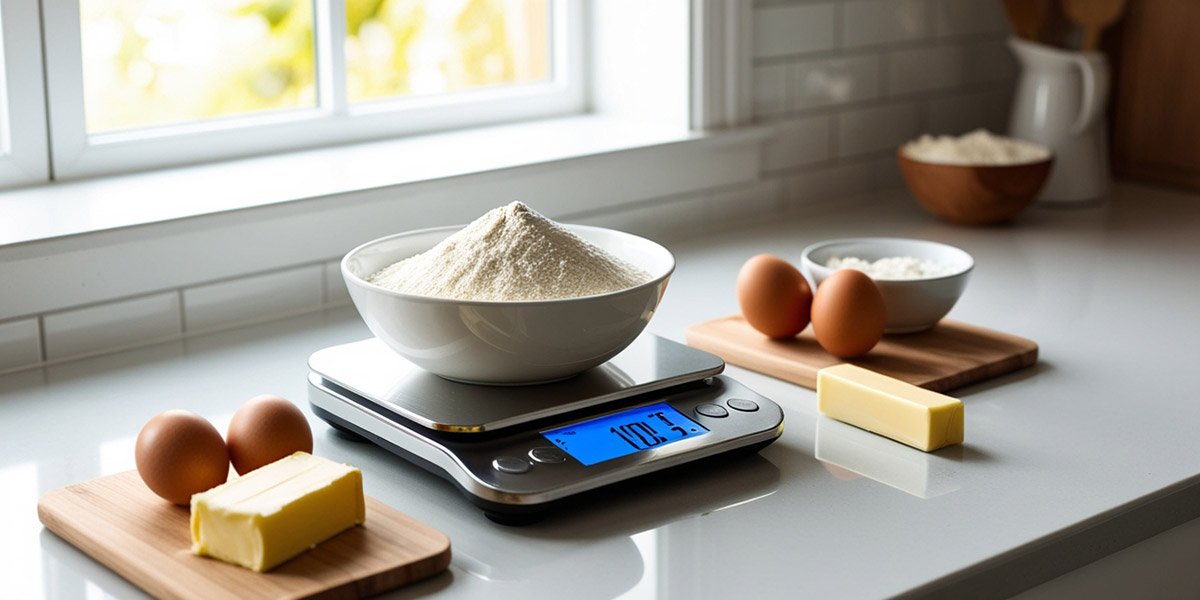
A digital kitchen scale is a compact tool that measures ingredients by weight instead of volume. It provides quick, accurate readings in grams, ounces, or pounds — depending on your recipe.
These scales often include smart features like tare (zeroing), unit conversion, and auto-shutoff. Some even sync with mobile apps to track calories or help with diet goals.
⚖️Why You Need a Digital Food Weigher
Let’s explore why home cooks, bakers, and even coffee lovers rely on kitchen scales daily. A kitchen scale saves time, reduces mess, and ensures every recipe turns out exactly as intended.
Unlike cups, which can vary based on ingredient texture or how tightly you pack them, a scale gives you consistent, true-to-weight measurements every time.
This means fewer surprises — and tastier results.
🥣Measuring Cups vs. Measuring Scale: What’s the Difference?
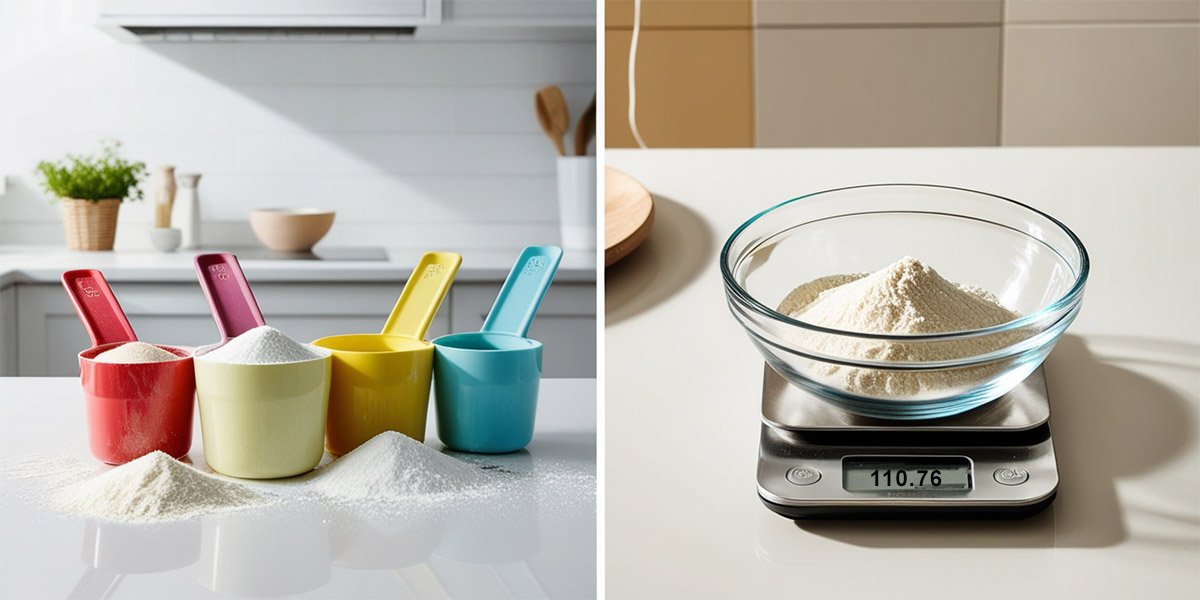
Here’s a quick comparison to see why digital scales win in accuracy and convenience:
| Feature | Measuring Cups | Digital Measuring Scale |
| Accuracy | Varies with ingredient texture | Precise to the gram |
| Ease of Use | Requires multiple cups/spoons | One device for all measurements |
| Cleanup | More dishes to wash | One surface to clean |
| Best For | Quick, rough estimates | Baking, portion control |
| Conversion | Manual calculation | Automatic |
—Imagine baking bread and using a “cup” of flour that’s slightly packed — it might weigh 20 grams more than intended. That small difference can change texture, rise, and flavor. With a digital scale, you never have to guess.
💪5 Reasons to Use a Smart Weighing Tool
Let’s see how a simple kitchen scale can make a big difference in your cooking:
| 1. Perfect Accuracy Every Time |
|---|
|
When a recipe calls for 150 grams of flour, that’s exactly what you add. No more uneven textures or dense cakes — just the right amount every time. |
| 2. Consistent Results |
|---|
|
Once you nail a recipe, you can repeat it perfectly. Whether it’s your favorite cookie batch or a coffee blend, a scale ensures it tastes the same each time. |
| 3. Less Waste, More Savings |
|---|
|
Measuring by weight means using only what you need. You’ll save ingredients, reduce food waste, and cut grocery costs — especially for baking and meal prepping. |
| 4. Easier Cleanup |
|---|
|
No more juggling multiple spoons or cups. Weigh ingredients directly in your bowl or pot. — one dish to clean, and you’re done. |
| 5. Helps Track Nutrition |
|---|
|
For health-conscious cooks, a scale helps portion meals accurately. It’s a must for calorie tracking, diet planning, or managing portions for family meals. |
✨Key Features to Check in a Food Scale
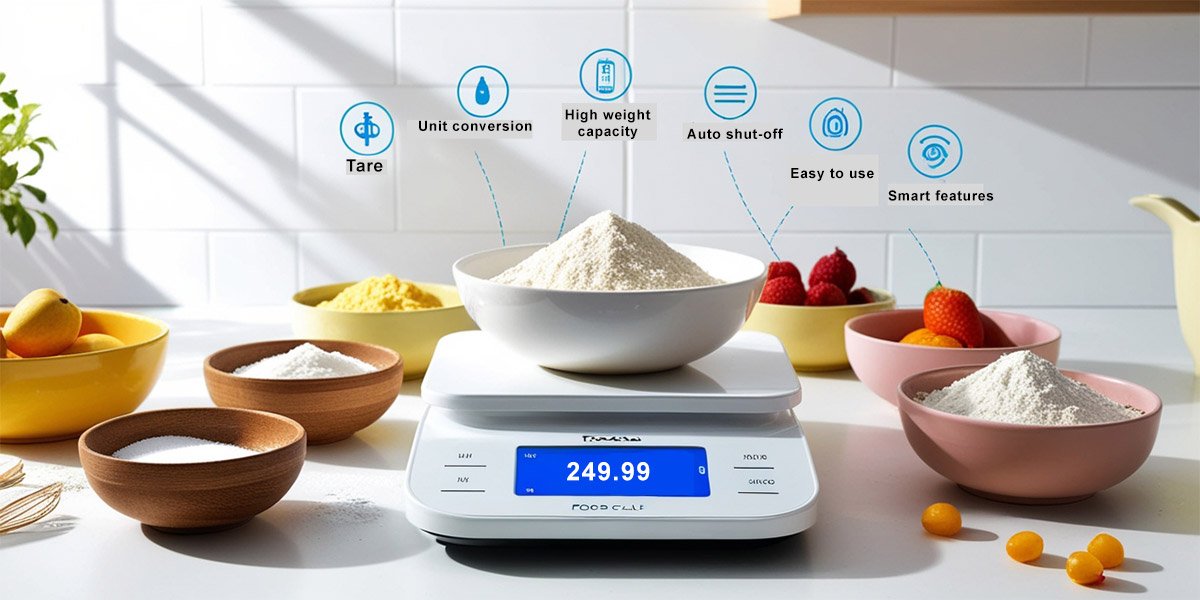
Before buying, here’s what to check to make sure it fits your kitchen needs.
- Tare function – Resets the scale to zero so you can weigh multiple ingredients in one bowl.
- Unit conversion – Switch easily between grams, ounces, or pounds.
- High weight capacity – Useful for bulk cooking or meal prepping.
- Auto shut-off – Saves battery life when not in use.
- Smart features – Some connect to apps for tracking nutrition or storing recipes.
🔋Step-by-Step Guide to Use a Smart Cooking Scale
To use the Digital scale correctly, follow these steps:
🔌 1. Place & Power Up
Put your scale on a flat, stable surface — a wobbly counter gives weird readings. Insert fresh batteries or plug it in, then turn it on and wait for the display to settle before you put anything on it.
🧭 2. Calibrate Before First Use
Many scales have a calibration mode; if yours does, follow the manual and use a known weight to set it. Calibration keeps readings accurate over time — do it after moving the scale or if numbers start to drift.
🥣 3. Tare & Zeroing (The Game Changer)
Put your empty bowl or container on the scale and press the Tare/Zero button so the display reads 0.00. Now you can add ingredients one by one and weigh only what you actually add — no math needed.
➕ 4. Measure Multiple Ingredients Easily
Want to add flour, then sugar, then butter in the same bowl? Add the first ingredient, press tare to zero, then add the next. Repeat until the recipe is complete — tidy, fast, and one bowl to wash.
📱 5. Connect to an App (If You Have One)
If your scale is Bluetooth/Wi-Fi enabled, open the companion app and pair it following the in-app steps. Once connected, you can save recipes, log weights, and switch units from your phone — handy for tracking and repeating favorites.
🧾 6. Quick Tips for Accurate Weighing
Avoid drafts, vibrations, or placing the scale on a hot surface. Use the same unit (grams or ounces) throughout a recipe, and if readings seem off, reset (power off/on) and recalibrate.
🧳 7. Store & Care After Use
Wipe the platform with a damp cloth and dry it, remove batteries if storing long-term, and keep it in a dry spot. A little care after each use keeps the sensors happy and the readings reliable.
That’s it — simple, clean, and accurate!
🧽Cleaning & Maintenance
Keeping your scale clean ensures it stays accurate and lasts longer.
- Wipe the surface gently with a damp cloth after each use.
- Avoid soaking it in water — most aren’t waterproof.
- Change batteries when readings seem off.
- Store in a dry place away from heat or spills.
—So, just a few seconds of care after each use keeps your scale working smoothly for years!
🔧 Troubleshooting Common Issues
Even the best scales can act up sometimes — don’t worry! Let’s go through some simple fixes to get your digital scale working perfectly again.
🔋 Scale Not Turning On
First, check the batteries. Weak or dead batteries are the top reason a scale won’t start. Try replacing them with fresh ones and ensure they’re inserted correctly. If it still doesn’t work, inspect the battery contacts for corrosion and gently clean them with a dry cloth.
⚖️Inaccurate or Fluctuating Readings
Place the scale on a flat, stable surface. Even a small tilt or uneven counter can cause odd readings. Try resetting the tare button before each new item. If it continues, recalibrate the scale following the manual — many models have a simple “calibration mode” you can activate with one button.
🚨Display Showing Error or “Out2” Message
This usually means the scale has been overloaded. Remove the item immediately and wait a few seconds. Let’s make sure you’re weighing within the maximum limit. Restart the scale and test it again with something lighter to see if it returns to normal.
🚫Buttons or Display Not Responding
Sometimes moisture or crumbs can sneak into the buttons. Gently clean around the buttons using a soft, slightly damp cloth (never wet). If you notice stickiness or residue, a quick wipe with a little vinegar solution can help — just be careful not to let liquid seep inside.
⏱️️Scale Turns Off Too Quickly
Many scale models have an auto shut-off feature to save battery. If it’s turning off too soon while you’re mid-recipe, check your manual — you may be able to extend the timer or keep pressing a button lightly every few minutes to keep it awake.
🥇 Which is the Best Digital Scale to use?
The “best” scale depends on your needs. If you bake often, go for one with a higher weight limit and precision down to 0.1g.
For everyday cooking, choose one with a wide surface and an easy-to-read display. Popular brands like Ozeri, Etekcity, and GreaterGoods offer reliable, user-friendly options that suit most kitchens.
⚙️ What If I Need Grams Instead of Ounces?
No problem — most smart kitchen scales let you switch units instantly! Just tap the unit button to change from ounces to grams or pounds. This makes it easy to follow both international and local recipes with accuracy.
🔄 Common Kitchen Conversion Chart (Grams to Ounces)
| Grams (g) | Ounces (oz) |
| 50 g | 1.76 oz |
| 100 g | 3.53 oz |
| 150 g | 5.29 oz |
| 200 g | 7.05 oz |
| 250 g | 8.82 oz |
| 300 g | 10.58 oz |
| 500 g | 17.64 oz |
📝 To convert manually, divide grams by 28.35 to get ounces.
(For example: 100 g ÷ 28.35 ≈ 3.53 oz)
✅ Top 5 Tips
To guarantee precise measurements and avoid frustration, these expert tricks make using your scale effortless:
- Use a scale for baking — precision matters most here.
- Double-check batteries if readings change suddenly.
- Combine wet and dry ingredients in one bowl using the tare feature.
- Keep the scale away from heat or drafts (like open windows or vents) as temperature fluctuations and air movement can slightly affect the sensitive internal sensors.
- Always use the center of the platform when placing items or containers to ensure the weight is evenly distributed and to maximize accuracy.
— Try weighing your coffee grounds — it can completely change the flavor balance in your morning cup!
❓ FAQs
Yes, you can! Just use a bowl or container to hold the liquid. Most scales measure by weight, so select grams or milliliters for better precision when following recipes.
Absolutely — digital scales are quicker, more accurate, and easier to read. They also come with handy features like tare, unit switching, and auto shut-off, which make cooking smoother.
Sometimes, yes. If you notice unusual readings or big differences, follow the manual’s steps to reset or calibrate it. This keeps your scale measuring correctly over time.
Definitely! As long as the item fits and doesn’t exceed the weight limit, it’s fine. Many people even use their kitchen scales for small craft projects or jewelry weighing.
That’s often due to uneven surfaces or weak batteries. Make sure it’s on a flat counter, and reset it before use. Replacing batteries usually fixes the inconsistency.
Yes! Most digital scales have a unit button that lets you instantly change between grams, ounces, or pounds — perfect when following international recipes.
🎓Conclusion
A digital food weight measuring scale might seem like a small gadget, but it completely changes how you cook. It’s your best friend for accuracy, portion control, and consistent results.
—Next time you bake, skip the guesswork — let your scale do the measuring! Ready to make your kitchen smarter? Explore our guide on How Smart Water Purifiers become an essential need for our health and 5 Things You Must Know About a Food Processor next!





- Be Respectful
- Stay Relevant
- Stay Positive
- True Feedback
- Encourage Discussion
- Avoid Spamming
- No Fake News
- Don't Copy-Paste
- No Personal Attacks
- Be Respectful
- Stay Relevant
- Stay Positive
- True Feedback
- Encourage Discussion
- Avoid Spamming
- No Fake News
- Don't Copy-Paste
- No Personal Attacks
