Steam Iron Troubleshooting Guide: Easy Fix 8 Common Problems
Published: 5 Dec 2025
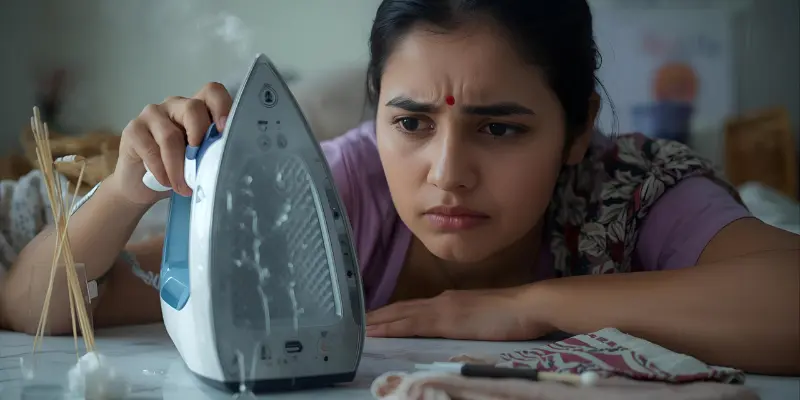
Imagine you’re getting ready for an important meeting, and your favorite shirt is waiting on the ironing board. You plug in your steam iron, expecting smooth steam—but instead, it spits water or refuses to heat up. Moments like this can be frustrating, especially when you’re in a hurry.
This steam iron troubleshooting guide walks you through simple, real-life fixes you can try right away. Each tip is practical, safe, and designed to help you get your clothes ready without stress.
First Steps to Take When Your Steam Iron Suddenly Stops Working
When your steam iron stops working, it can feel stressful, especially if you’re rushing to get dressed. Before panicking, follow these simple checks to identify the problem safely and quickly.
- Unplug and Cool Down – Always make sure the iron is completely unplugged and cooled before touching any part.
- Check the Power Source – Test the outlet with another device to ensure it’s working.
- Inspect the Cord and Plug – Look for frayed wires, bent prongs, or other visible damage.
- Examine the Water Tank – Ensure it’s filled to the correct level; overfilling or low water can affect performance.
- Use Clean Water – Hard water can cause buildup and reduce steam output, so always use filtered or distilled water if possible.
8 Common Steam Iron Problems and How to Fix Them
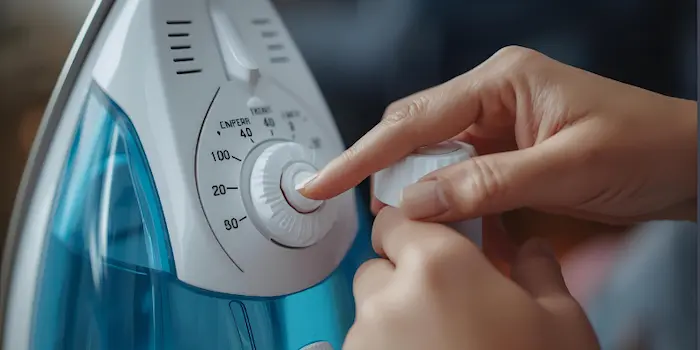
Even the best steam irons can act up. Knowing the common problems and easy fixes can save you time and frustration. Here’s a practical guide to solve the issues most people face at home.
1. Steam Iron Not Producing Steam
- Cause: Mineral buildup in the vents or low water in the tank.
- Fix: Empty the water tank completely. Fill it with distilled water and allow the iron to heat fully. Clean the steam vents with a cotton swab or soft brush to remove mineral deposits. For stubborn buildup, run the iron over a cloth while using the steam function.
Tip: Always allow the iron to heat fully before using steam to ensure proper flow.
2. Water Leaking from the Steam Iron
- Cause: Overfilling the tank or using water when the iron is too cool.
- Fix: Ensure the water tank does not exceed the maximum fill line. Heat the iron before using steam. After use, tip the iron slightly over a sink to remove leftover water.
Tip: Wipe the soleplate dry after each use to prevent water stains.
3. Steam Iron Not Heating Properly
- Cause: Power supply issues, blocked heating element, or faulty thermostat.
- Fix: Test the outlet with another device. Unplug the iron, let it cool, and plug it back in. If it still doesn’t heat, inspect the cord and plug for damage. If the problem persists, the thermostat may be faulty—this usually requires professional repair or replacement.
Tip: Keep the cord untangled and avoid coiling it tightly around the iron during storage.
4. Thermostat Malfunction (Iron Too Hot or Too Cold)
- Cause: Faulty thermostat or inaccurate temperature sensor.
- Fix: Check the temperature dial and ensure it matches the fabric setting. If the iron consistently overheats or underheats, the thermostat may need replacement. Avoid DIY fixes for internal thermostat wiring—contact a professional.
Tip: Test the iron on an old cloth to ensure the temperature is accurate before ironing delicate garments.
5. Iron Spitting Brown Water
- Cause: Rust or mineral deposits inside the water tank or steam vents.
- Fix: Mix equal parts white vinegar and water, fill the tank halfway, and run the iron on a low steam setting over an old cloth to flush out deposits. Rinse thoroughly with clean water afterward. Repeat until water runs clear.
Tip: Empty the water tank after each use and use distilled water to prevent buildup.
6. Soleplate Sticking to Clothes
- Cause: Residue from starch, detergent, or burnt fabric.
- Fix: Let the iron cool completely. Wipe the soleplate with a damp cloth and mild dish soap, avoiding abrasive cleaners. For tougher buildup, use a baking soda paste, rub gently, then wipe clean.
Tip: Always select the correct temperature for each fabric type.
7. Steam Iron Turning Off Mid-Use
- Cause: Auto-shutoff feature or overheating.
- Fix: Place the iron on its heel rest and let it cool. Ensure it’s on a flat, stable surface. Reduce steam settings and avoid long continuous ironing sessions if auto-shutoff persists.
Tip: Never leave the iron lying flat on the soleplate; always use the heel rest when pausing.
8. Iron Making Strange Noise or Smell
- Cause: Mineral deposits, burnt residue, or electrical issues.
- Fix: Unplug and let the iron cool. Clean vents and soleplate, flush deposits with distilled water, and inspect the cord and plug. If noise or smell continues, stop using and consult a professional.
Tip: Regular descaling and cleaning prevent most noises and odors.
For a simple walkthrough on steaming clothes safely, check out this complete guide on how to use a garment steamer.
Step-by-Step Guide: How to Reset Your Steam Iron
Sometimes, your steam iron just needs a quick reset to get back to normal. Follow these simple steps to safely reset most modern steam irons.
- Unplug the Iron – Always start by unplugging the iron and letting it cool completely. This prevents any electrical accidents.
- Empty the Water Tank – Remove any leftover water to avoid spitting or leakage during the reset.
- Check the Settings – Turn all dials to the “off” position and let the iron rest for a few minutes. This helps the thermostat and sensors recalibrate.
- Plug Back In and Heat – Plug the iron into a working outlet. Set the temperature to a medium level and let it heat fully.
- Test the Steam Function – Fill the water tank with distilled water, activate the steam function, and observe if steam flows normally.
- Repeat if Needed – If the iron still behaves unusually, repeat the reset once more. Persistent issues may indicate a deeper problem that needs professional attention.
Tip: Regularly resetting your iron after long or heavy use can prevent minor malfunctions and extend its lifespan.
How to Keep Your Steam Iron Working Longer
A steam iron can last for years if you treat it well. Small habits make a big difference in performance and safety.
- Use Distilled Water – Tap water can cause mineral buildup, which clogs steam vents and affects heating.
- Avoid Overfilling the Tank – Stick to the maximum water level to prevent leaks and internal damage.
- Select Correct Temperature for Fabrics – Using the right heat setting prevents soleplate sticking and overheating.
- Store Properly – Let the iron cool completely, then store it upright on its heel rest to protect the soleplate and internal parts.
- Reset Occasionally – After long ironing sessions, do a quick reset (as described earlier) to keep the thermostat and sensors accurate.
- Inspect the Cord and Plug – Regularly check for damage to prevent electrical issues.
Tip: A few minutes of care after each use goes a long way in keeping your iron efficient and safe for years.
FAQs About Steam Iron Troubleshooting
This usually happens due to mineral buildup in the steam vents or using cold water. Clean the vents with a cotton swab and try using distilled water. Make sure the iron is fully heated before activating the steam function.
Use a soft cloth, mild dish soap, or a baking soda paste for the soleplate. Avoid abrasive cleaners or metal scrubbers that can scratch the surface. For the water tank, flush with a vinegar-water solution to remove mineral deposits.
A burning or chemical smell usually comes from leftover water, mineral buildup, or starch residue on the soleplate. Cleaning the vents and soleplate and using distilled water often fixes this. Persistent smells may indicate an electrical problem—stop using it and consult a professional.
For areas with hard water, descale every 1–2 months to prevent clogging and rust. In softer water regions, every 3–4 months is usually enough. Regular descaling keeps steam flow consistent and prolongs your iron’s lifespan.
Turn the temperature dial to the recommended setting for your fabric type, like cotton or silk. Let the iron heat fully and test on a small cloth to ensure the temperature is correct. Avoid opening the iron—internal thermostat repairs should be done by a professional.
Keep Your Steam Iron Running Smooth and Efficient
A properly cared-for steam iron saves time and frustration while keeping your clothes looking perfect. By following this steam iron troubleshooting guide, you can quickly fix common problems like leaks, sticking, or lack of steam, even without special tools. Small habits, like using the right water and checking the temperature, make a big difference.
Regular care ensures your iron works reliably for years. Resetting it after long sessions and inspecting the cord or plug can prevent most malfunctions. With a little attention, your steam iron will stay efficient, safe, and ready whenever you need it.






- Be Respectful
- Stay Relevant
- Stay Positive
- True Feedback
- Encourage Discussion
- Avoid Spamming
- No Fake News
- Don't Copy-Paste
- No Personal Attacks
- Be Respectful
- Stay Relevant
- Stay Positive
- True Feedback
- Encourage Discussion
- Avoid Spamming
- No Fake News
- Don't Copy-Paste
- No Personal Attacks
