Not Getting Fresh Air? Here’s How to Troubleshoot Your Large-Sized Air Purifier
Published: 25 Nov 2025
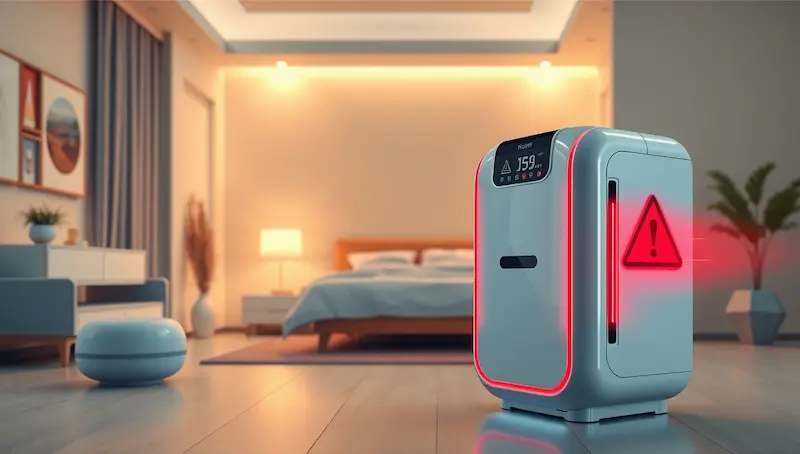
Not getting fresh air even after running your large-sized air purifier can be frustrating. Many people assume their device is broken, but in most cases, minor issues like clogged filters, poor placement, or overlooked reset alerts are the real culprits.
In this guide, we’ll walk you through troubleshooting common issues with big air purifiers so you can restore optimal airflow, clean air, and quiet operation. By following these simple steps, you’ll know exactly how to fix common problems and keep your indoor air fresh without unnecessary stress.
Understanding Large-Size Air Purifiers
A bigger air purifier is designed to clean the air in medium to large rooms, typically covering areas from 200 to 600 square feet. The main factors that define its effectiveness are the CADR (Clean Air Delivery Rate), the type of filter it uses, and its fan speed.
Choosing the right size for your room is crucial. A purifier that’s too small may struggle to remove dust, pollen, or smoke, leaving the air stale. Even the best models require proper placement and maintenance to perform well. Understanding these basics helps you identify whether poor air quality is caused by the device itself or external factors like room layout or air circulation.
Quick Checks Before Troubleshooting
Before diving into detailed fixes, it’s best to do a few simple checks. Many issues can be resolved quickly by confirming these basics:
- Power Connection: Make sure the purifier is plugged in properly and the outlet is working. Sometimes a loose plug or tripped breaker is the culprit.
- Correct Mode Setting: Check that the device is turned on and set to the appropriate fan speed or mode for your room size.
- Filter Placement: Ensure filters are installed correctly and not overdue for replacement. Misaligned or dirty filters can reduce airflow and effectiveness.
- Proper Positioning: Keep the purifier away from walls, corners, and large furniture that may block air circulation.
Starting with these checks often solves minor problems and saves time before moving on to more detailed troubleshooting.
While maintaining clean air indoors, don’t forget about water quality too. For smart solutions, explore our guide on Smart Water Purifiers to ensure your home stays healthy from air to water.
5 Common Problems and How to Fix Them
1. Air Purifier Isn’t Powering On
If your purifier won’t start, it’s usually a simple power issue. Check that the plug is fully inserted and the outlet is functioning. Some models have internal fuses; if the device still won’t power on, consult the manual to locate and replace the fuse or perform a reset if available.
2. Weak or No Airflow
Weak airflow often indicates a clogged filter, blocked vent, or fan problem.
Fix: Remove the filter and clean it according to the manufacturer’s instructions, or replace it if it’s old. Ensure vents are unobstructed and the purifier has enough space around it for proper circulation.
3. Loud Noise or Vibrations
Strange noises usually come from dust on the fan blades, loose screws, or misaligned components.
Fix: Turn off and unplug the purifier, then carefully clean the fan area and tighten any loose parts. Persistent noise may indicate motor wear, which could require professional service.
4. Air Still Feels Dusty or Stale
If the room still feels dusty, the purifier may be undersized for the room, or the filters could be expired.
Fix: Check that the purifier’s CADR rating matches your room size. Replace old filters and move the purifier to a central, unobstructed location for better coverage.
5. Blinking or Red Error Lights
Flashing lights usually indicate a full filter, sensor error, or airflow blockage.
Fix: Check the filter status and clean the sensors gently with a soft cloth or cotton swab. Press the reset button according to your model’s instructions to restore normal operation.
For the best results, you can also learn Where to Place an Air Purifier in a Bedroom.
When to Get Expert Help
While most issues with room-size air purifiers can be solved at home, some problems require professional attention. Consider contacting a technician if:
- The purifier still won’t turn on after checking the power, fuses, and performing a reset.
- Airflow remains weak even after cleaning or replacing filters and checking for blockages.
- The device makes loud or unusual noises that persist after cleaning and tightening parts.
- Error lights continue flashing despite following all reset instructions.
Seeking expert help ensures safety and prevents accidental damage. A certified technician can inspect the internal motor, fan, or electrical components, giving you peace of mind while keeping your air purifier running efficiently.
Tips to Boost Air Quality
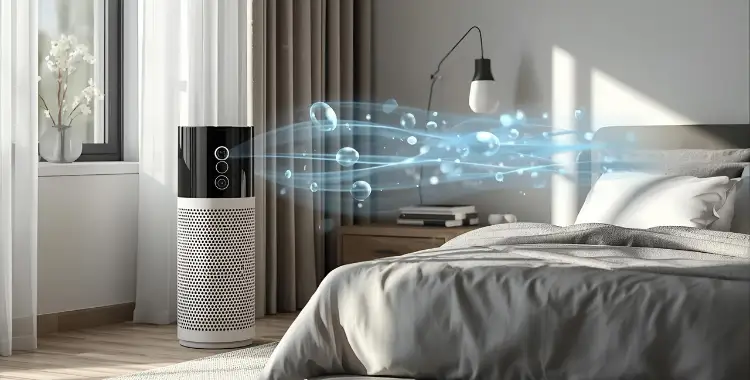
Even after fixing common issues, a few extra tips can help your room-size air purifier perform at its best:
- Optimal Placement: Keep the purifier in a central location with unobstructed airflow, away from walls, corners, or large furniture.
- Sensor Care: Dust or debris on sensors can trigger false alerts. Clean sensors gently with a soft brush or cotton swab.
- Use Correct Filters: Always use manufacturer-approved filters. Generic or incorrect filters can reduce performance and trigger errors.
- Reset When Needed: If issues repeat, perform a reset according to your model’s instructions and monitor performance for the next 24 hours.
- Monitor Humidity: Avoid placing the purifier near high-humidity areas like kitchens or bathrooms, as moisture can affect sensors and airflow.
Following these tips not only restores cleaner air but also helps maintain the purifier’s efficiency over time.
FAQs About Troubleshooting Air Purifier
-
Why isn’t my room-sized air purifier improving air quality?
This usually happens due to clogged or expired filters, incorrect placement, or the purifier being too small for your room. Cleaning or replacing filters and moving the unit to a central, unobstructed spot often fixes the problem.
What should I do if my purifier won’t turn on?
First, check the power connection and ensure the outlet works. If it still doesn’t start, try resetting the device or checking the fuse if your model has one. Also, make sure the power button or control panel isn’t locked or in a child safety mode, which can prevent it from turning on.
What does a blinking or red light mean on my air purifier?
Flashing lights usually indicate a full filter, sensor error, or airflow blockage. Check the filter, clean the sensor, and press the reset button according to your purifier’s instructions. If the light continues, consult your manual or contact customer support for guidance.
Why is my air purifier noisy or vibrating?
Noise often comes from dust on fan blades or loose components. Turn off the purifier, clean the fan area carefully, and tighten the screws. Persistent noise may indicate worn motor parts.
How do I troubleshoot persistent air quality issues with my purifier?
If your room still feels dusty or smells stale after following basic fixes, check for hidden blockages, ensure the purifier is the right size for your room, and inspect filters for damage. Sometimes, running the purifier continuously for a few hours after cleaning helps recalibrate sensors and restore proper airflow.
Ensuring Fresh Air Every Day
Troubleshooting common issues with room-size air purifiers doesn’t have to be complicated. Most problems—like weak airflow, unusual noise, or stale air—can be fixed by checking power connections, cleaning or replacing filters, and ensuring proper placement.
By following these steps, you can restore your purifier’s efficiency and enjoy fresh, clean air in your home every day. Choosing the right size for your room and keeping up with basic care ensures long-lasting performance. Stay consistent, and your air purifier will keep your indoor air healthier and fresher for years to come.
To explore more smart home gadgets that help create a cleaner, allergy-free living space, check out our simple guide on Choosing the right humidifier.





- Be Respectful
- Stay Relevant
- Stay Positive
- True Feedback
- Encourage Discussion
- Avoid Spamming
- No Fake News
- Don't Copy-Paste
- No Personal Attacks
- Be Respectful
- Stay Relevant
- Stay Positive
- True Feedback
- Encourage Discussion
- Avoid Spamming
- No Fake News
- Don't Copy-Paste
- No Personal Attacks
