Best Smart Home Devices Compatible with Alexa & Google Assistant (Complete Guide)
Published: 16 Feb 2026
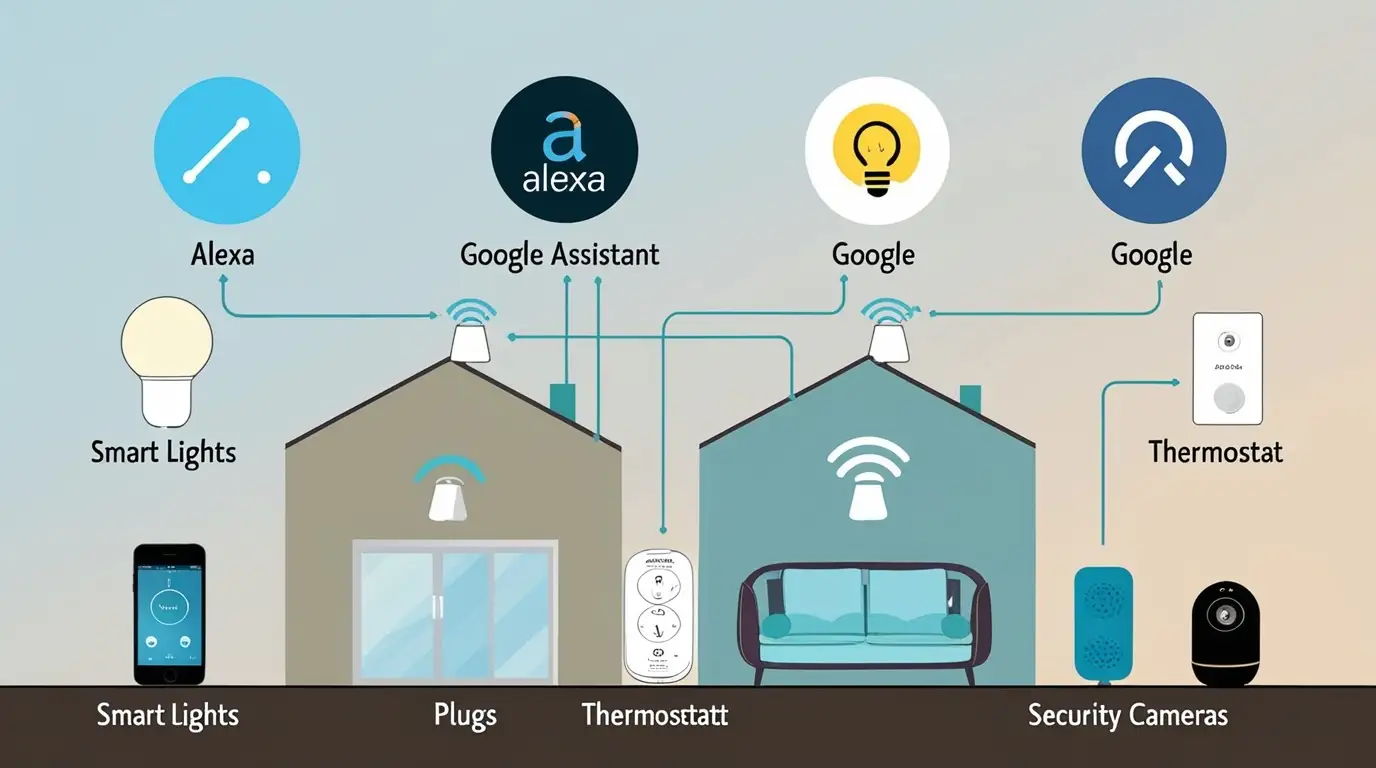
Smart home devices compatible with Alexa and Google Assistant let you control your home using just your voice. You can turn on lights, adjust the temperature, and manage daily routines without touching a switch or phone.
In this guide, you’ll discover what dual compatibility really means, why it matters, and which smart devices work best with both Alexa and Google. Whether you’re a beginner or upgrading your setup, this article will help you build a smarter, easier home.
What Does “Compatible with Alexa & Google Assistant” Mean?
When a smart home device is compatible with Alexa and Google Assistant, it means you can control that device using voice commands through either Amazon Alexa or Google Assistant. You don’t just rely on the brand’s app — you can also use the Alexa app or Google Home app to manage everything in one place.
In simple words, compatibility means your smart light, plug, camera, or thermostat can “talk” to Alexa and Google. So instead of opening an app, you can just say things like “Alexa, turn on the lights” or “Hey Google, set the temperature to 22 degrees.” That’s what makes these devices truly smart and easy to use.
Why Choose Devices That Work with Both Alexa & Google
Choosing smart home devices that work with both Alexa and Google Assistant gives you more freedom and flexibility. You’re not locked into just one ecosystem, so if you ever switch from Alexa to Google (or use both), your devices will still work.
These dual-compatible devices are also more future-proof. They’re usually easier to set up, work well with other smart products, and are ideal for beginners who want a simple, voice-controlled home without confusion.
How Voice Control Works in a Smart Home
Voice control works through a simple chain: you speak → Alexa or Google hears → the app sends the command → the device responds. Your smart speaker or phone listens to your voice, processes the request, and tells the smart device what to do over Wi-Fi.
For example, you can say “Alexa, turn off the living room lights” or “Hey Google, set the AC to 22 degrees.” Within seconds, your lights, plugs, or thermostat follow your command — no buttons, no apps, just your voice.
Categories of Smart Home Devices Compatible with Alexa & Google
Smart home devices come in many types, and knowing the categories helps you pick the right ones for your home. Here are the main categories that work well with both Alexa and Google Assistant:
1. Smart Lights
• Control bulbs, light strips, and fixtures with voice commands.
• Adjust brightness, color, and schedules easily.
• Create scenes for different moods or activities.
2. Smart Plugs & Switches
• Turn regular appliances into smart devices.
• Schedule on/off times and save energy.
• Control everything remotely or by voice.
3. Smart Security Devices
• Cameras, doorbells, and motion sensors that respond to voice commands.
• Check live feeds or recordings via Alexa/Google.
• Automate alerts for added security.
4. Smart Thermostats
• Control temperature with simple voice commands.
• Save energy with automated schedules.
• Integrate with other smart devices for complete home automation.
5. Smart Speakers, Displays & Hubs
• Alexa Echo and Google Nest devices act as the “brain” of your smart home.
• Manage multiple devices and routines from a single place.
• Some support Matter, connecting different brands seamlessly.
To learn about smart home devices, Read Out Guide on Smart Bulbs.
Best Use Cases – How People Actually Use These Devices
Voice-controlled smart devices aren’t just for convenience — they make daily life easier and more efficient. Here’s how people use them in real life:
• Morning Routine: “Alexa, turn on the bedroom lights and start the coffee maker.”
• Leaving Home: “Hey Google, turn off all lights and lock the doors.”
• Movie Night: Dim lights, close smart blinds, and set the thermostat without leaving the couch.
• Night Security: Check cameras or receive alerts if motion is detected.
• Energy Saving: Automatically turn off unused devices or adjust heating/cooling to save energy.
These real-life examples help you visualize the benefits.
How to Set Up Smart Home Devices with Alexa & Google
Setting up smart home devices is easier than most people think. Here’s a simple step-by-step guide:
1. Install the Device App – Download the manufacturer’s app on your smartphone.
2. Connect to Wi-Fi – Ensure your device is connected to your home Wi-Fi network (usually 2.4 GHz).
3. Add to Alexa or Google Home – Open the Alexa or Google Home app, find your device, and link it.
4. Assign Rooms – Organize devices by room for easier voice control.
5. Test Voice Commands – Try commands like “Alexa, turn on the kitchen lights” or “Hey Google, start the fan.”
Following these steps ensures your devices respond accurately and makes your smart home setup smooth and hassle-free.
Common Problems & Fixes
Even the best smart home devices can face minor issues. Here’s how to handle common problems:
• Device Not Connecting to Wi-Fi – Make sure you’re on a 2.4 GHz network and check your password.
• Device Not Appearing in App – Restart the device and refresh the Alexa or Google Home app.
• Voice Commands Not Working – Check that the device is linked correctly and within range of your smart speaker.
• Skill/Service Not Linked – Some devices require enabling a skill (Alexa) or linking a service (Google) before they work.
• Firmware Updates Needed – Keep your devices updated for better performance and security.
These troubleshooting tips help you solve issues quickly.
How to Choose the Best Smart Home Devices
Picking the right smart home devices can be confusing. Here’s what to look for:
• Compatibility Logos: Make sure the device clearly states it works with both Alexa and Google Assistant.
• App Quality: Check that the manufacturer’s app is user-friendly and reliable.
• Wi-Fi vs Hub: Some devices need a hub to work properly, while others connect directly to Wi-Fi.
• Matter Support: Devices that support Matter are future-proof and work across multiple brands.
• Reviews: Read user reviews to spot common issues or advantages.
• Country Support: Ensure the device works in your region and supports your local network settings.
This guide helps you make confident decisions and ensures you don’t buy incompatible or hard-to-use devices.
Smart Lights (Voice‑Controlled Lighting)
Philips Hue Smart Bulbs (Alexa & Google Compatible) – Control lights with voice and app; requires a hub for advanced features.
Philips Hue 4‑Pack White & Color A19 Smart Bulbs – A set of 4 smart bulbs you can voice‑control with Alexa/Google. Buy Philips Hue 4‑Pack Smart Bulbs (Alexa & Google)
Philips Hue LightStrip Plus – Flexible LED strip lighting you can voice‑control (hub required for full feature set). Buy Philips Hue LightStrip Plus (Alexa & Google compatible)
Philips Hue Bridge 2.0 (Voice Control Hub) – Needed for full Philips Hue system voice control via Alexa/Google Assistant. Buy Philips Hue Bridge (Alexa & Google Assistant)
Smart Plugs (Make Dumb Devices Smart)
TP‑Link HS100 Kasa Wi‑Fi Smart Plug – Works with Alexa Echo & Google Assistant; no hub needed.
You could also link to the official Kasa store collection for other variants (outdoor plugs, matter‑ready versions):
Kasa Smart Plugs & Smart Home Accessories – Direct from the Kasa brand shop. Explore TP‑Link Kasa Smart Plugs (Alexa & Google)
FAQ
Here are the most common questions people ask about smart home devices compatible with Alexa and Google — and clear answers to help you make the right choice:
Q1: Can one device work with both Alexa and Google at the same time?
A: Yes! Many devices are designed to be dual-compatible. You can control them using either Alexa or Google Assistant without affecting the other.
Q2: Do these devices work without internet?
A: Most smart home devices require Wi-Fi or a hub for full functionality. Some basic functions may work offline, but voice commands usually need internet access.
Q3: Are smart home devices secure?
A: Generally, yes. Stick to reputable brands, keep firmware updated, and use strong Wi-Fi passwords to ensure security.
Q4: Do I need a hub for all devices?
A: Not all. Some devices connect directly to Wi-Fi, while others, like advanced lighting systems (Philips Hue), require a hub for full features.
Q5: Are these devices suitable for apartments or small homes?
A: Absolutely! Smart plugs, lights, and compact cameras are ideal for small spaces. You can start small and expand over time.
Q6: What is Matter support, and why is it important?
A: Matter is a new standard that allows smart devices from different brands to work together. Devices with Matter support are future-proof and easier to integrate.
Conclusion
Smart home devices compatible with Alexa and Google Assistant make life simpler, safer, and more convenient. From controlling lights and plugs to managing cameras and thermostats, you can create a fully voice-controlled home that fits your lifestyle.
Choosing devices that work with both platforms ensures flexibility, future-proofing, and an easy setup. Start small with a few essential devices, explore real-life voice commands, and gradually expand your smart home ecosystem. With the right devices and setup, managing your home becomes effortless — all at the sound of your voice.






- Be Respectful
- Stay Relevant
- Stay Positive
- True Feedback
- Encourage Discussion
- Avoid Spamming
- No Fake News
- Don't Copy-Paste
- No Personal Attacks
- Be Respectful
- Stay Relevant
- Stay Positive
- True Feedback
- Encourage Discussion
- Avoid Spamming
- No Fake News
- Don't Copy-Paste
- No Personal Attacks
